How to use SoundLoadMate downloader on PC, phone
You want to download music from SoundCloud to your phone but SoundCloud does not support this feature. The solution for you is to use a third-party tool to help you save your favorite songs on SoundCloud to your personal phone.
SoundLoadMate is a tool developed by our team with the purpose of supporting users to download music on SoundCloud to their personal phones, and also supports many current devices such as PC, Laptop, Tablet
When using it, you will get a lot of benefits that help you download high quality audio to your device, with a friendly interface, easy to use, the special thing is that you just need to paste the url into my input box and click the download button, the rest will be handled by the server.
Detailed instructions for using SoundLoadMate
Step 1: On your device, go to SoundCloud and find the song you want to download.
On your device, open SoundCloud in a browser or app. Then, find the song you want to download — you can search by song title, artist, or paste the song link (if available).
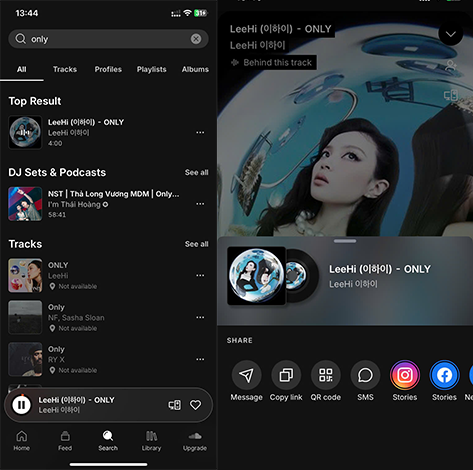
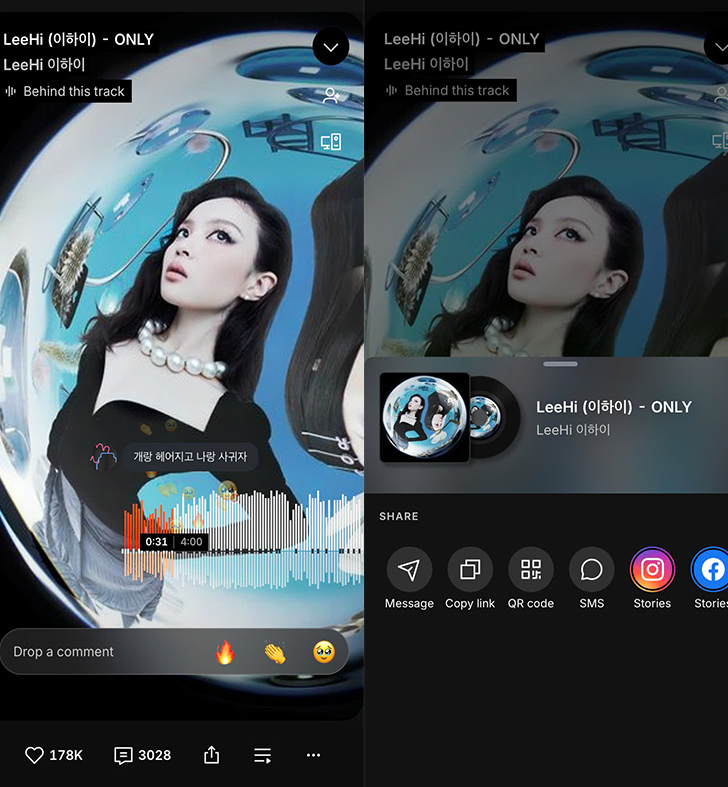
Step 2: Copy track link
Once you've opened the song you want to download, tap the Share button. SoundCloud will display a few options — just select Copy Link to get the song's URL. This is the link you'll paste into the download tool in the next step.
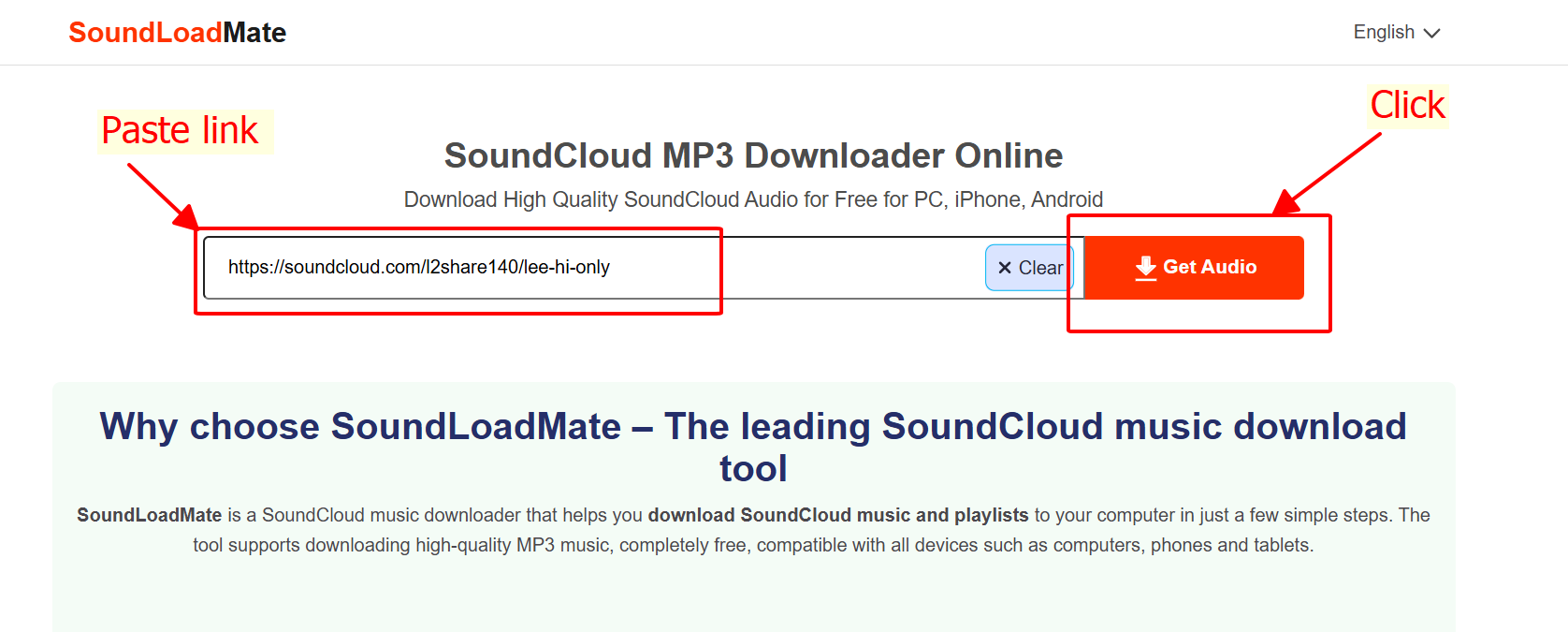
Step 3: Paste the link into the SoundCloud downloader
After copying the song URL from SoundCloud, open the downloader and paste the copied link into the input box. Next, click the download button next to it to let our servers start processing.
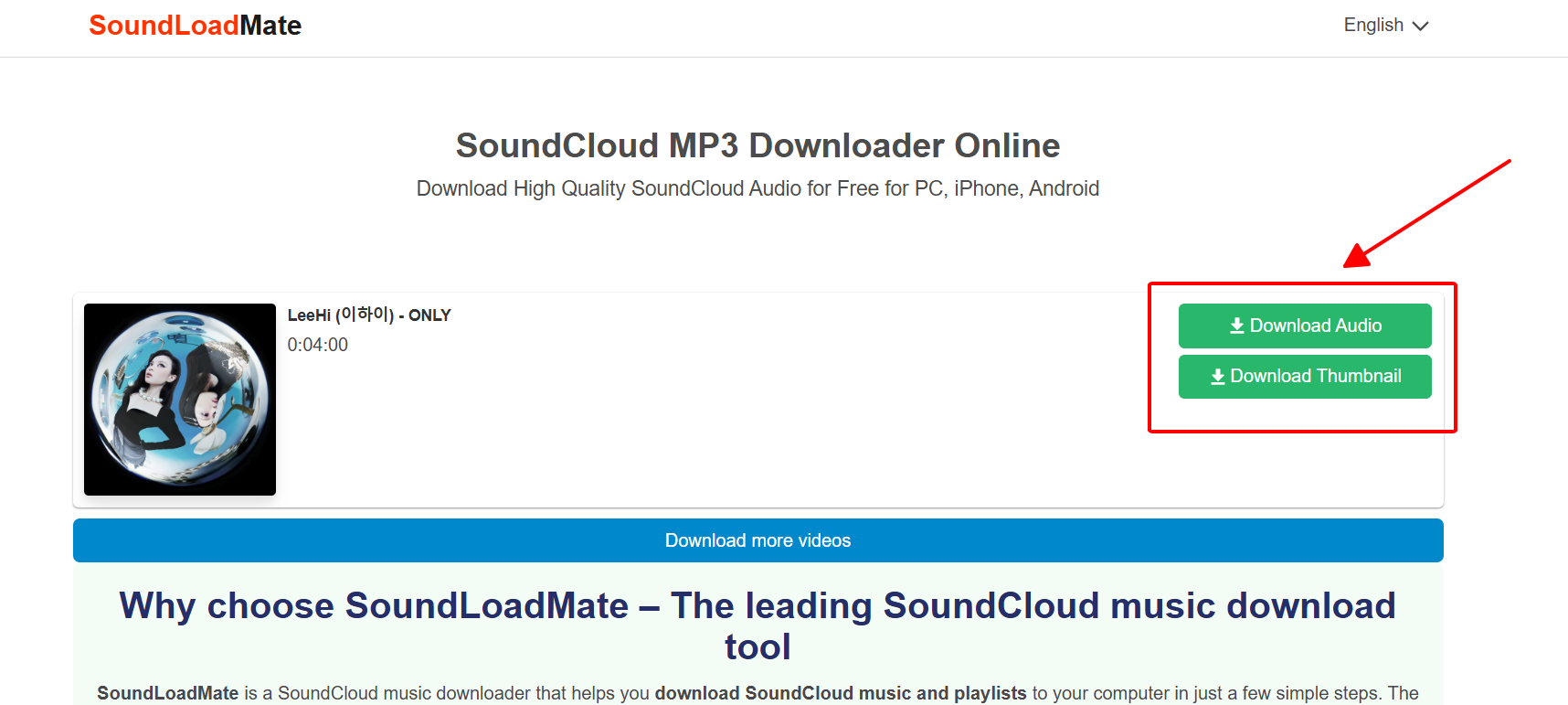
Step 4: Download your audio
Once the audio processing is complete, you have two options to download your favorite audio and two options to download the thumbnail. Now all you have to do is click on the download button and that’s it.
Notes on use
This tool only supports downloading publicly available content for personal use. Users must comply with SoundCloud's copyright policy and are solely responsible for their use of the audio. We reserve the right to suspend service if misuse is detected. Please read the terms of service here.